
Introduction: The “Unwanted Assistant”
In 2024, Meta integrated its Llama-3 AI model directly into the Facebook interface. For many users, this wasn’t an upgrade—it was an intrusion. Whether it’s the blue circle inside your Search Bar or the unsolicited “Comment Summaries” on posts, Meta AI is designed to be omnipresent.
The Hard Truth:
As a tech researcher, I must be honest with you: There is no “Off” switch. Meta has baked this AI into the server-side infrastructure of the app, meaning it’s here to stay for the foreseeable future. However, there are 3 technical workarounds that can help you minimize its presence and stop the notifications.
Method 1: Disable “Comment Summaries” (The Hidden Toggle)
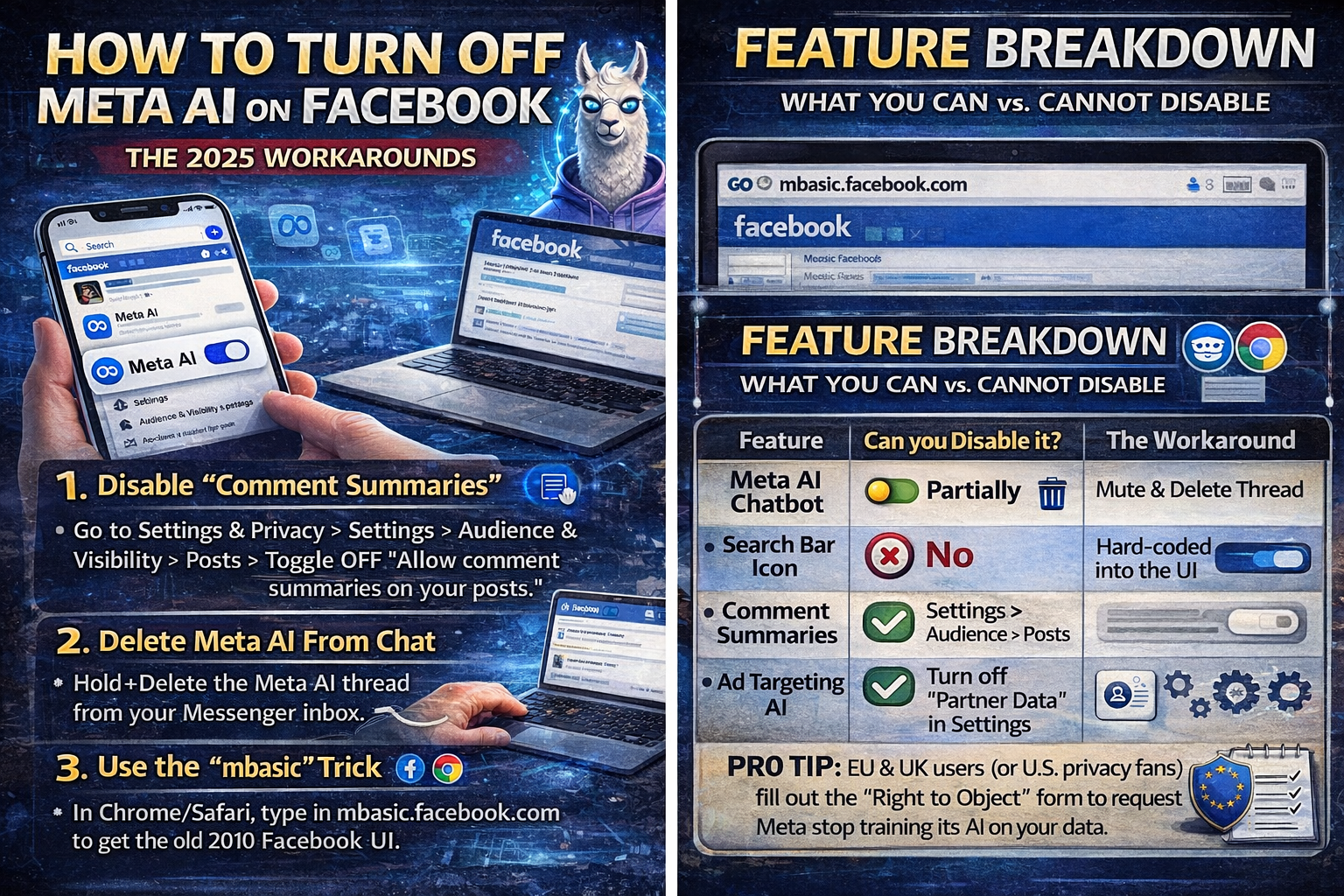
This method stops the AI from reading comments for you and inserting itself into posts, which is one of the most frustrating features. This setting is buried deep in the menu. Here’s the exact path to find it:
Go to Settings & Privacy > Settings.
Scroll down to the “Audience and Visibility” section.
Tap on “Posts”.
Toggle OFF the switch for “Allow comment summaries on your posts.”
Result:
This removes Meta AI’s ability to summarize comments, giving you a more traditional comment experience.
Method 2: The “Nuclear” Option (Delete the Chat Thread)
This is more effective than just muting. It removes the AI from your active inbox list, essentially erasing it from your immediate view.
Meta AI often treats itself like a “friend” in your Messenger list. To remove it:
Open Facebook Messenger or the Chats tab.
Press and hold the Meta AI conversation (the blue circle icon).
Select Delete (not just Archive).
Result:
This completely wipes the memory of that specific conversation and removes it from your immediate view until you accidentally click it again.
Method 3: Escaping to “Lite” or “mbasic” (The Real Fix)
If you hate Meta AI enough to switch interfaces, these are the best solutions.
Option A: Facebook Lite (Android Only)
The standard Facebook app is bloated with AI features. Facebook Lite is an official Meta app designed for older phones/slower networks.
Why it works:
Because Facebook Lite is designed for 2G networks, it strips out heavy features like the AI Comment Summarizer and other complex generative tools.
How to get it:
Download “Facebook Lite” from the Google Play Store.
Log in using your existing Facebook credentials.
Feature Breakdown:
Facebook Lite provides a more basic interface, which means Meta AI features are either disabled or greatly reduced, offering a less intrusive experience.
Option B: The “mbasic” Trick (iPhone & Desktop)
If you can’t install Facebook Lite, use this browser hack:
Open Safari or Chrome.
Type mbasic.facebook.com instead of facebook.com in the URL bar.
Result:
You’ll get the “Old School” Facebook interface from 2010, which is fast, clean, and 100% AI-free.
Feature Breakdown: What You Can vs. Cannot Disable
Here’s a quick overview of which Meta AI features you can turn off and which you can’t:
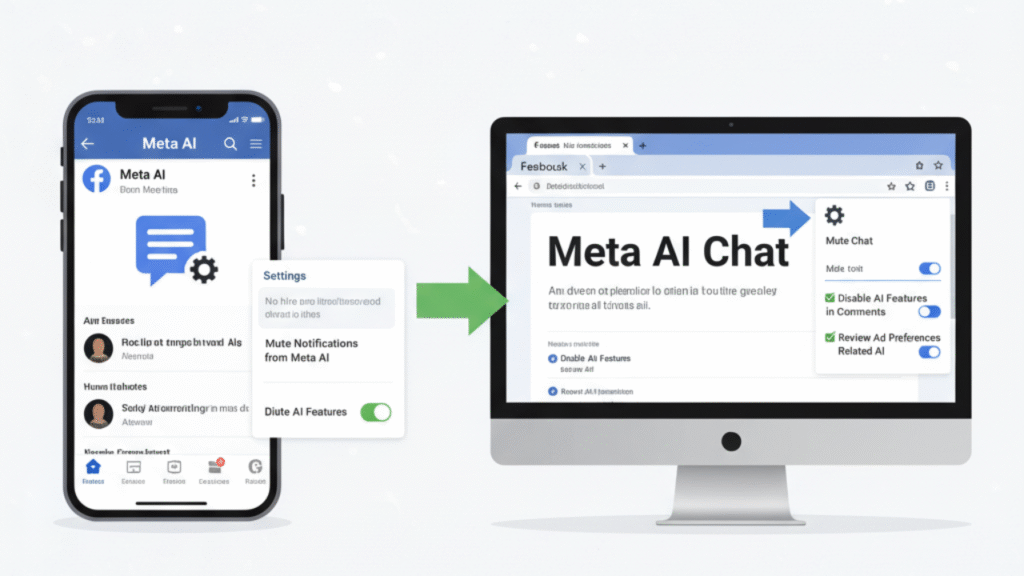
James’s Expert FAQ
Q: Is there a Chrome Extension to block it?
Answer: Yes, there are browser extensions like “F.B. Purity” (a third-party tool) that can hide Meta AI elements by modifying the website’s code (CSS). However, use these extensions at your own risk, as Facebook updates often break them.
Q: Why did Meta force this on us?
Answer: It’s a retention strategy. By embedding an AI chatbot in the search bar, Meta aims to keep you inside Facebook, instead of going to Google to search for things. It’s about user engagement, youthe more features Meta controls, the longer you stay on the platform.
Q: Can I go back to an old version of Facebook?
Answer: On Android, you can theoretically sideload an old APK (app file) from 2023, but this is a security risk, and eventually, the app will stop connecting to the servers as Meta enforces updates.
Conclusion: Minimize the Noise
Until regulation changes or Meta adds a “Legacy Mode”, the AI is here to stay. But by following these methods, Disabling Comment Summaries, Deleting Chat Threads, and using the mbasic interface, you can reclaim a quieter, more traditional social media experience without the constant interference of Meta AI.
About the Author
James Carter, Ph.D. Tech Privacy Researcher
James is a specialist in data systems and user privacy. He analyzes how major tech platforms integrate AI to help users maintain control over their digital environments.
Pro Tip: EU and UK Users – Your “Right to Object”
If you’re in the EU or UK (or are privacy-conscious in the US), you have the legal right to request that Meta stop using your data for AI training. Visit the GDPR Right to Object form on the Facebook settings page and exercise your privacy rights.